Also posted on the osu! forums: https://osu.ppy.sh/community/forums/topics/1851087
Here is a description of how scroll speed works in osu!taiko. I couldn’t find this information elsewhere online so I did my own research. If you spot anything wrong with this then let me know.
In case it matters: this research was done as of November 2023 on the “classic” osu! client.
Calculation
The following section will list values in “pixels”, which assumes a 800x600 resolution. In the end all the pixel units cancel out, but e.g. for 1280x720 you want to multiply all “pixel” values by 720/600.
Here’s a reference image:
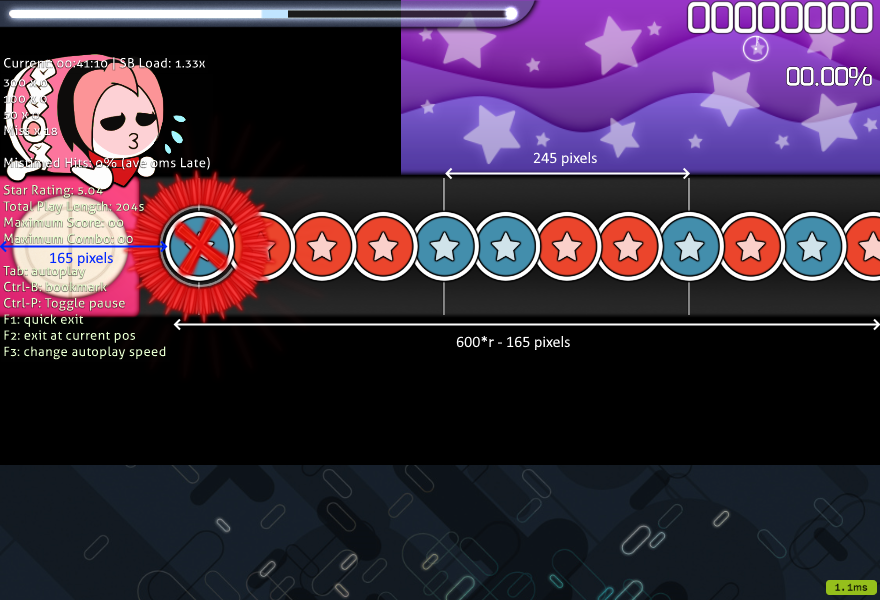
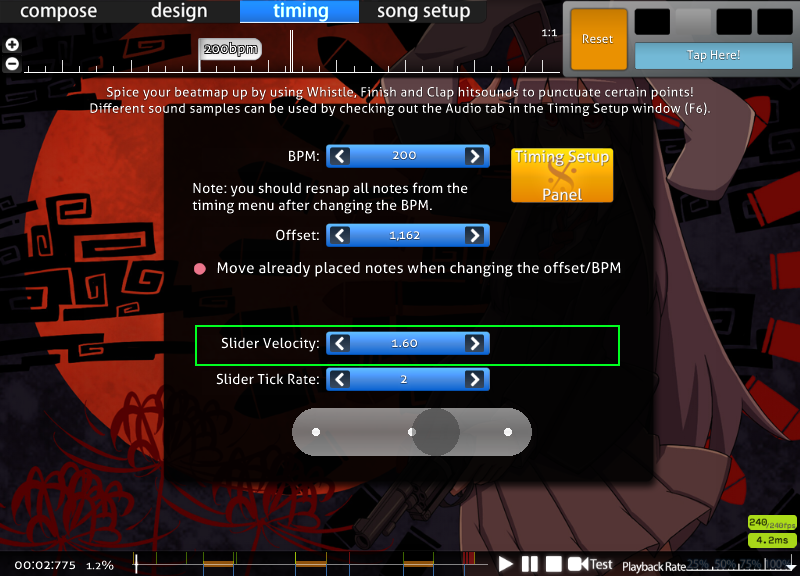
- The typical scroll speed is 245 pixels/beat. This is calculated as 175 * 1.4 from the beatmap’s slider velocity setting. Most maps have their slider velocity at the default 1.4, but a small number of songs have set it differently, e.g. Yoru Naku Usagi wa Yume o Miru which has a base slider velocity of 1.6 => 175 * 1.6 = 280 pixels/beat. [1]
- HR applies a 1.4 multiplier and scales by aspect ratio.
- EZ applies a 0.8 multiplier. This is not affected by aspect ratio.
- Finally BPM and inherited timing points affect scroll speed.
- BPM is applied by multiplying by bpm/60, which converts from pixels/beat to pixels/second.
- Inherited timing points apply their multiplier.
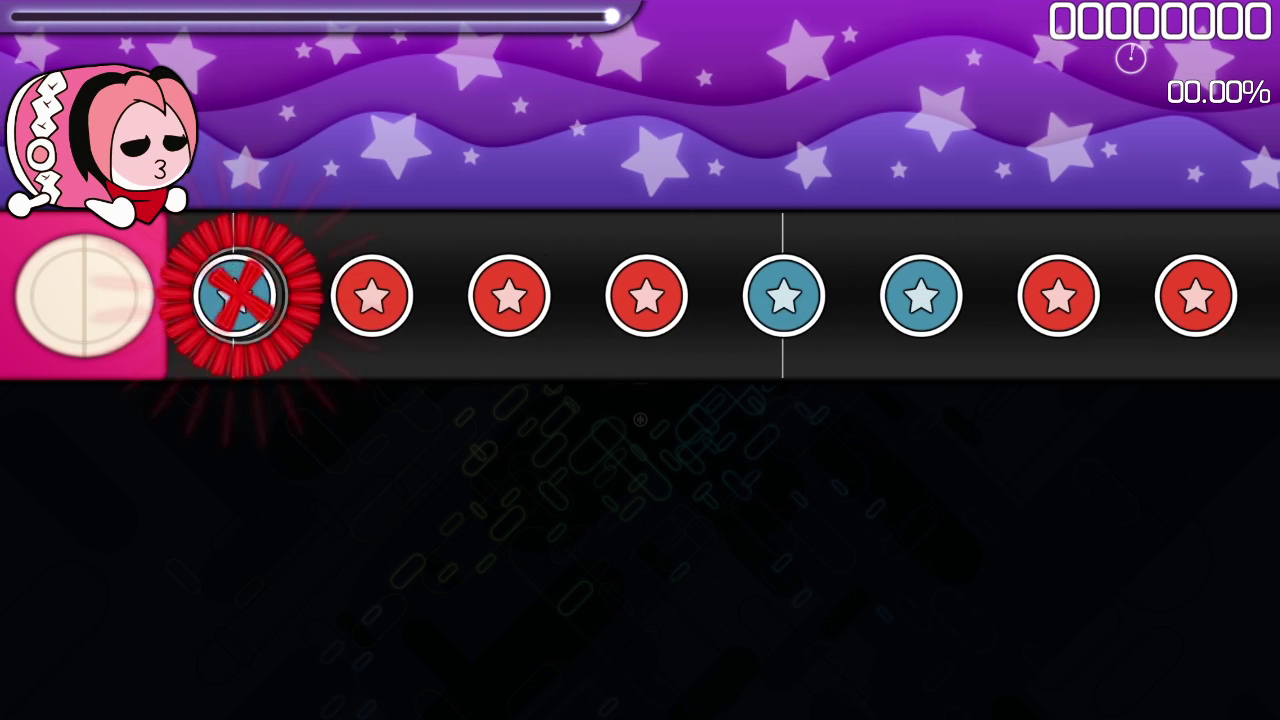
The receptor is 165 pixels from the left of the screen. That makes the total playfield length 600*r - 165 pixels where r is your aspect ratio.
To get the overall reaction time, divide the playfield size (pixels) by the scroll speed (pixels/second) to get the number of seconds between a note being visible and it arriving at the receptor.
Here’s some example code representing the calculations.
def playfield_width(aspect_ratio):
    return 600 * aspect_ratio - 165

def scroll_rate(aspect_ratio, mod):
    if mod == "HR":
        return 245 * 1.4 * aspect_ratio / (4/3)
    elif mod == "EZ":
        return 245 * 0.8
    else:
        return 245

def reaction_time(aspect_ratio, mod, bpm, base_sv=1.4, inherited_sv=1):
    return playfield_width(aspect_ratio) / (scroll_rate(aspect_ratio, mod) * bpm/60 * base_sv/1.4 * inherited_sv)
Written out as mathematical formulas, with R being the aspect ratio (4/3 for 4:3, 16/9 for 16:9), B being the BPM, and assuming the normal 1.4x base slider velocity and 1x inherited velocity:
- EZ:
B/60 * (600*R-165) / 245 * 0.8 - NM:
B/60 * (600*R-165) / 245 - HR:
B/60 * (600*R-165) / (1029/4 * R)
Analysis
HR is easier on higher aspect ratios
What’s interesting is that higher aspect ratios on HR give slightly more reaction time. This is because the HUD is a fixed size, so the proportion of screen dedicated to the playfield also increases, an extra factor which isn’t accounted for in HR scaling.
- bpm advantage factor vs. 4:3:
(160 * r - 44)/(127 * r)whereris aspect ratio [2] - at 16:9 it’s 1.065x (about 10-15bpm)
- at 21:9 it’s 1.11x (about 20-25bpm)
- at 45:9 it’s 1.19x
- asymptote is at 160/127 = 1.25x
However I’ve tried it and changing resolution won’t instantly make you read faster, mainly because of having to read at a different note spacing.
You can visually verify this by taking screenshots at different aspect ratios: more notes are visible at higher aspect ratios.

[2] - wolfram link. Basically calculating the bpms at which the reaction times on 4:3 and aspect ratio r are equal.
Comparison with AR in osu!std
The formula for AR in seconds is (1200 - 750 * (ar-5)/5)/1000. Below are some tables comparing certain values of BPM and AR.
- 200bpm HR = AR9.29 (4:3), AR9.05 (16:9)
- 220bpm HR = AR9.63 (4:3), AR9.41 (16:9)
- 240bpm HR = AR9.91 (4:3), AR9.71 (16:9)
- at 4:3: AR9 = 259bpm or 185bpm HR, AR10 = 345bpm or 247bpm HR
- at 16:9: AR9 = 368bpm or 197bpm HR, AR10 = 491bpm or 262bpm HR
Here is a desmos where you can play with the calculations: link.
| 4:3 | 16:9 | |||||||
|---|---|---|---|---|---|---|---|---|
| Nomod | HR | Nomod | HR | |||||
| BPM | ms | AR | ms | AR | ms | AR | ms | AR |
| 180 | 863.95 | 7.24 | 617.10 | 8.89 | 1,408.16 | 3.61 | 657.19 | 8.62 |
| 200 | 777.55 | 7.82 | 555.39 | 9.30 | 1,267.35 | 4.55 | 591.47 | 9.06 |
| 220 | 706.86 | 8.29 | 504.90 | 9.63 | 1,152.13 | 5.32 | 537.70 | 9.42 |
| 240 | 647.96 | 8.68 | 462.83 | 9.91 | 1,056.12 | 5.96 | 492.89 | 9.71 |
| 260 | 598.12 | 9.01 | 427.23 | 10.15 | 974.88 | 6.50 | 454.98 | 9.97 |
| 280 | 555.39 | 9.30 | 396.71 | 10.36 | 905.25 | 6.97 | 422.48 | 10.18 |
| 300 | 518.37 | 9.54 | 370.26 | 10.53 | 844.90 | 7.37 | 394.31 | 10.37 |
| 320 | 485.97 | 9.76 | 347.12 | 10.69 | 792.09 | 7.72 | 369.67 | 10.54 |
| 340 | 457.38 | 9.95 | 326.70 | 10.82 | 745.50 | 8.03 | 347.92 | 10.68 |
| 360 | 431.97 | 10.12 | 308.55 | 10.94 | 704.08 | 8.31 | 328.60 | 10.81 |
| 380 | 409.24 | 10.27 | 292.31 | 11.05 | 667.02 | 8.55 | 311.30 | 10.92 |
| 400 | 388.78 | 10.41 | 277.70 | 11.15 | 633.67 | 8.78 | 295.74 | 11.03 |
| 4:3 | 16:9 | ||||
|---|---|---|---|---|---|
| AR | ms | BPM (NM) | BPM (HR) | BPM (NM) | BPM (HR) |
| 8 | 750 | 207.35 | 148.10 | 294.42 | 157.73 |
| 8.2 | 720 | 215.99 | 154.28 | 306.69 | 164.30 |
| 8.4 | 690 | 225.38 | 160.98 | 320.02 | 171.44 |
| 8.6 | 660 | 235.62 | 168.30 | 334.57 | 179.23 |
| 8.8 | 630 | 246.84 | 176.32 | 350.50 | 187.77 |
| 9 | 600 | 259.18 | 185.13 | 368.03 | 197.16 |
| 9.2 | 570 | 272.82 | 194.87 | 387.40 | 207.53 |
| 9.4 | 540 | 287.98 | 205.70 | 408.92 | 219.06 |
| 9.6 | 510 | 304.92 | 217.80 | 432.97 | 231.95 |
| 9.8 | 480 | 323.98 | 231.41 | 460.03 | 246.45 |
| 10 | 450 | 345.58 | 246.84 | 490.70 | 262.88 |
| 10.2 | 420 | 370.26 | 264.47 | 525.75 | 281.65 |
| 10.4 | 390 | 398.74 | 284.82 | 566.20 | 303.32 |
| 10.6 | 360 | 431.97 | 308.55 | 613.38 | 328.60 |
| 10.8 | 330 | 471.24 | 336.60 | 669.14 | 358.47 |
| 11 | 300 | 518.37 | 370.26 | 736.05 | 394.31 |